

Create · Paperwork.Design
Build your document templates, and choose who can use them.
The Designer is where you create, update and publish your templates. It's for the people who design them, and the people who decide which ones a team uses.
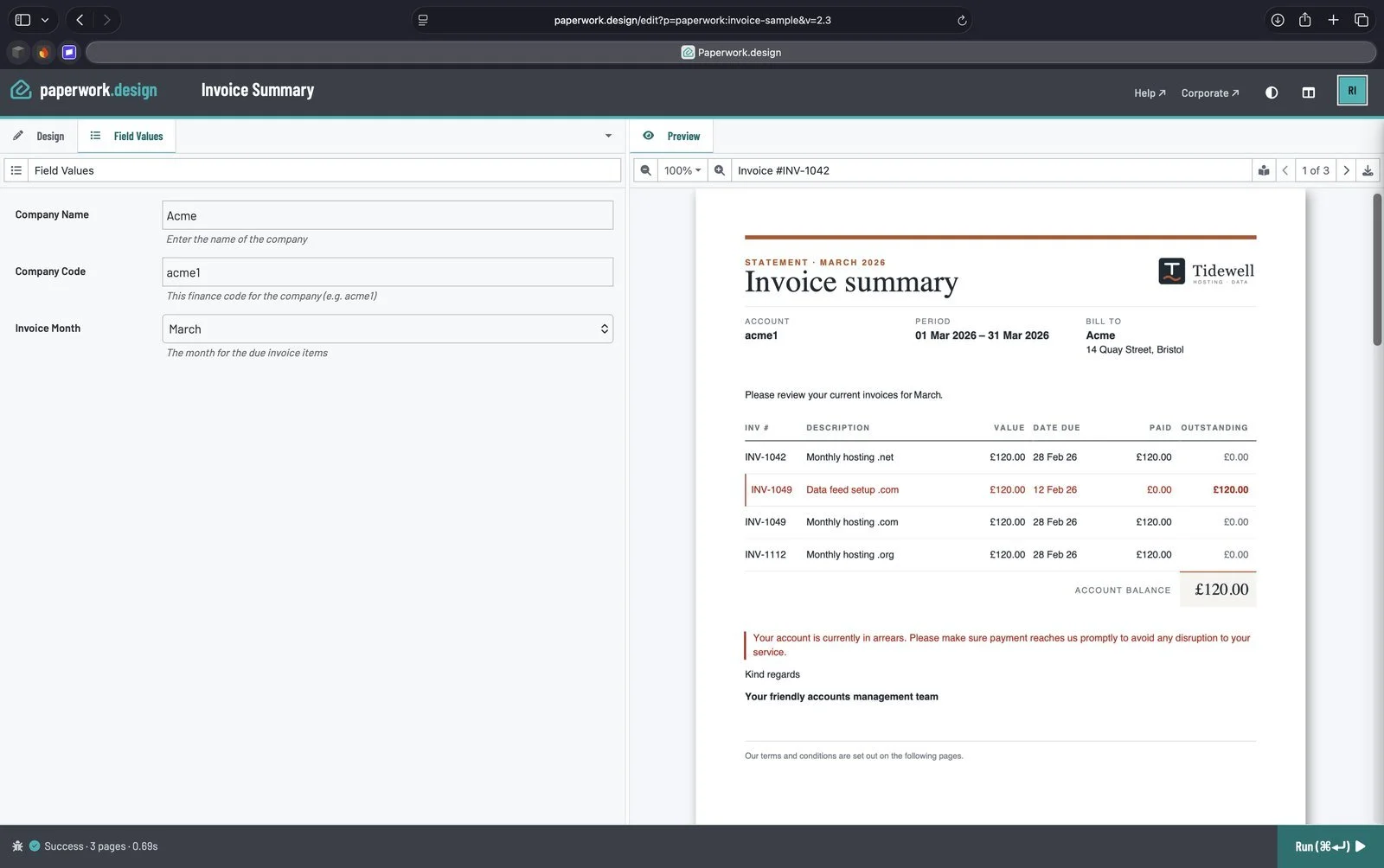
Use it when
- You need a new template, or a change to one.
- You want everyone on a team to use the same approved version of a document.
- You have a Word document you want to turn into a template.
What you get
Visual or code.
Design on the page, or work in HTML and CSS. Both are views of the same template.
Your data, previewed.
Connect your data and add fields to fill in, and see the real document as you go.
Versions you control.
Check each change in as a version, and choose which version people get.
Collections.
A Publisher decides who is in each collection and what they can do, and publishes to it.
Updates on your terms.
Published templates keep the engine they were published on. When we update Paperwork, the Designer tells you, so you can check a template looks right before you publish it again.
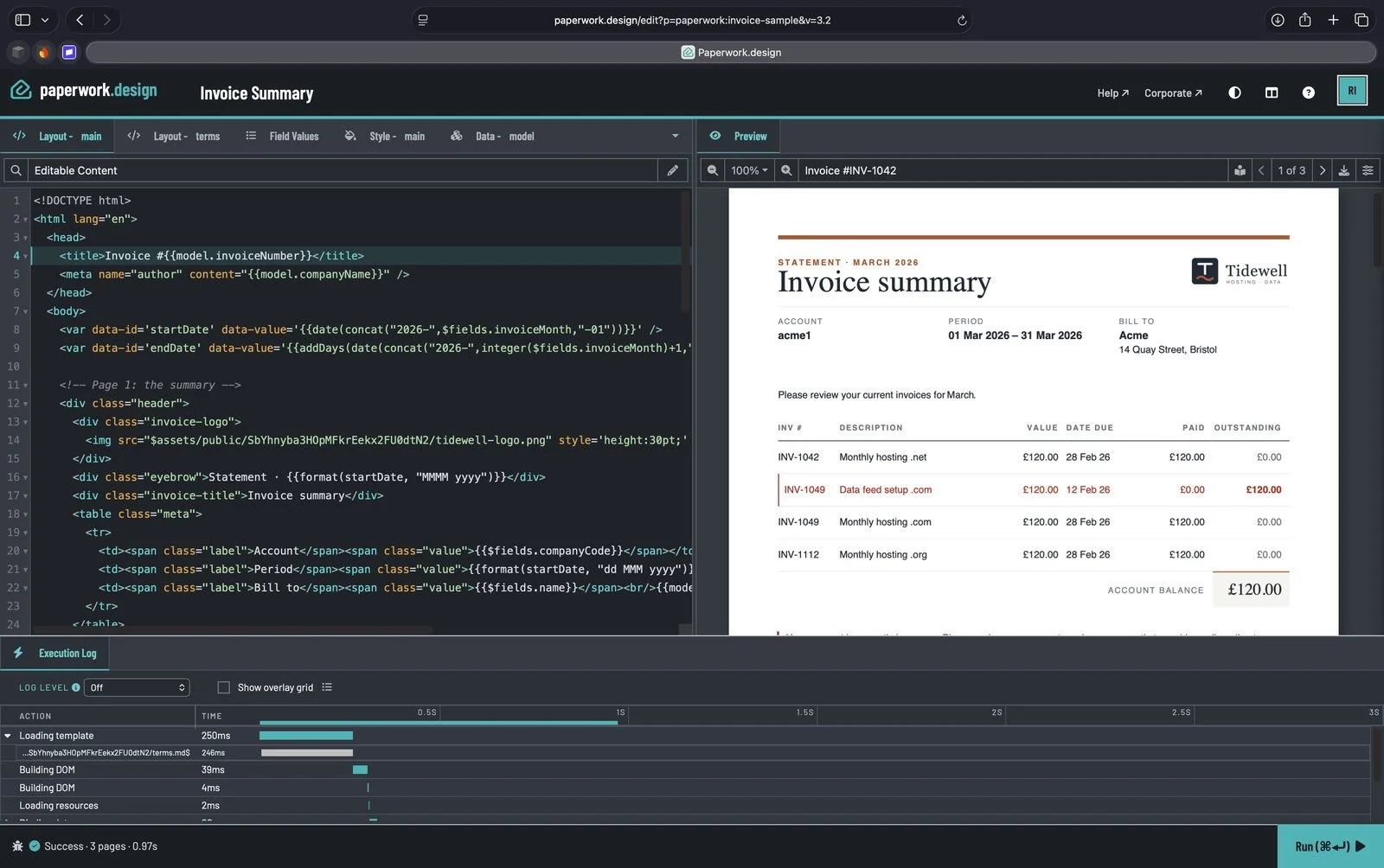
Visual or code.
The invoice in code view, with the execution log timing each step of the build.
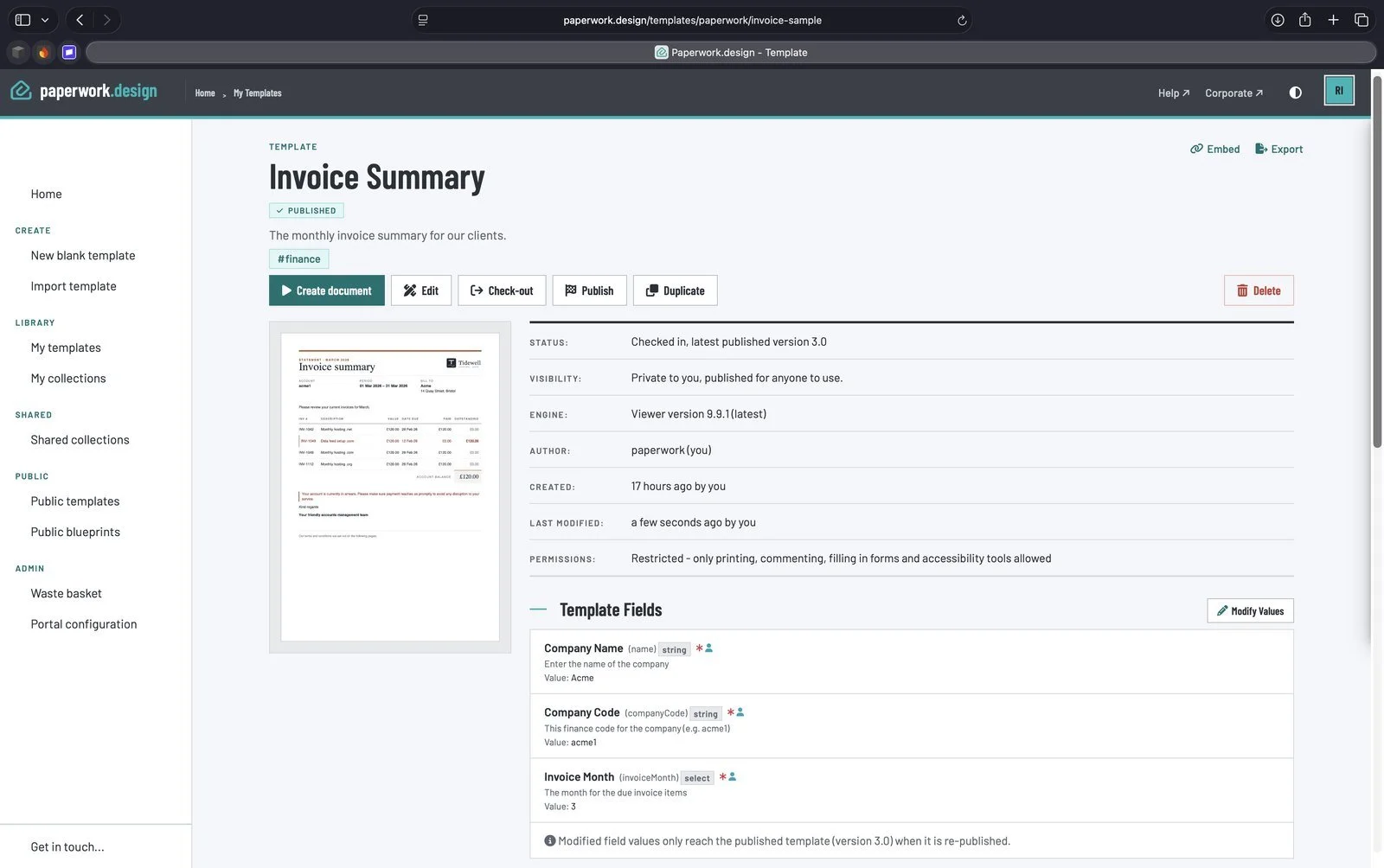
Versions you control.
Checked in, and published as version 3.0 for anyone to use.
Who needs a licence
Anyone can build their own templates in My templates as a Writer. Editors build your organisation's templates. Publishers run collections and buy licences. See Prices.